Skip to content

profit

A small, focused Python profiler built on sys.monitoring (Python 3.12+). Measures wall time per function with minimal overhead — no sampling, no instrumentation of your source, no configuration required.

  • Quick start


    Profile any script with a single command — no setup, no config.

    Get started

  • CLI reference


    Every flag for profit run and profit timeit.

    CLI docs

  • Python API


    Use profit as a decorator or context manager, or drive Profiler directly.

    API docs

  • Low overhead


    Built on sys.monitoring (Python 3.12+) — no sampling, no source instrumentation.

Installation

Install as a standalone tool — no virtualenv needed:

uv tool install step3

Or run without installing:

uvx --from step3 profit run script.py
pip install step3

Quick start

Profile a script

profit run my_script.py

This instruments every Python function and C extension call in the script and prints a table sorted by cumulative time.

Focus on one function

Use -p to zoom in on a specific function instead of seeing the full call tree:

profit run my_script.py -p my_module:my_function

Compare two implementations

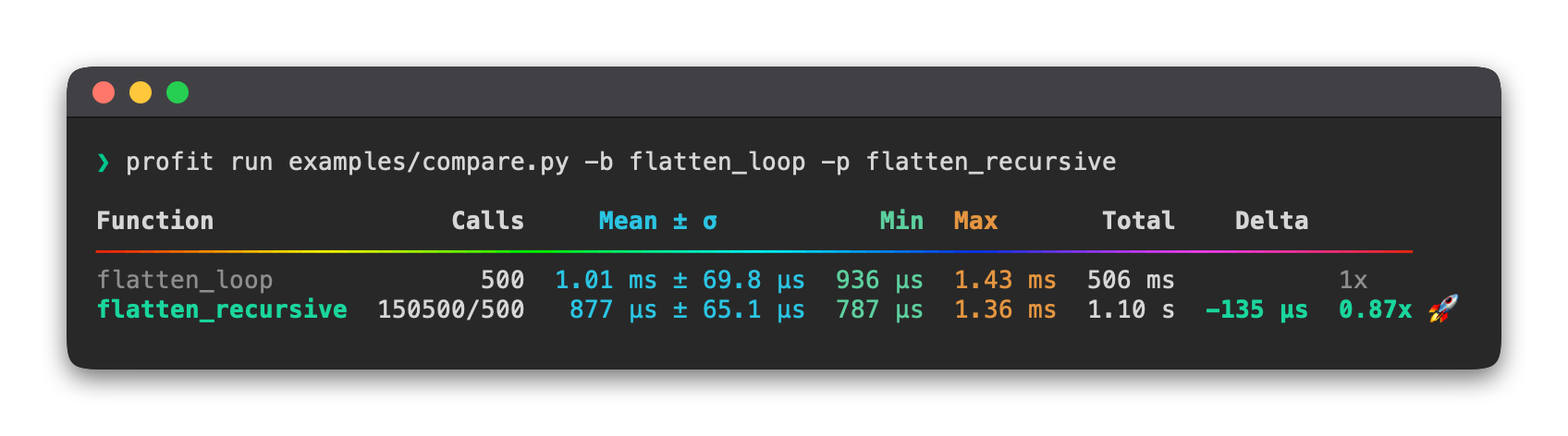
Use -b (baseline) and -p (profile) together to see how one implementation compares to another:

profit run my_script.py -b my_module:old_impl -p my_module:new_impl

The output includes a Delta column showing the mean time difference and a ratio relative to the baseline.

Time a statement in a loop

profit timeit 'sorted(data)' --setup 'data = list(range(1000, 0, -1))'

The number of iterations is chosen automatically so the total run takes around 0.2 s, similar to Python's built-in timeit module.

Python API

profit also works as a decorator or context manager for profiling code directly:

from step3 import profit

with profit() as p:
    do_work()

p.print_stats()
from step3 import profit

@profit
def my_func():
    ...

my_func()
profit.print_stats()

Python 3.12+

profit uses sys.monitoring, which was introduced in Python 3.12. It will not work on older versions.